> ## Documentation Index
> Fetch the complete documentation index at: https://spacesail.mintlify.site/llms.txt
> Use this file to discover all available pages before exploring further.
# Control Plane
> The main web interface for interacting with and managing your AgentOS instances
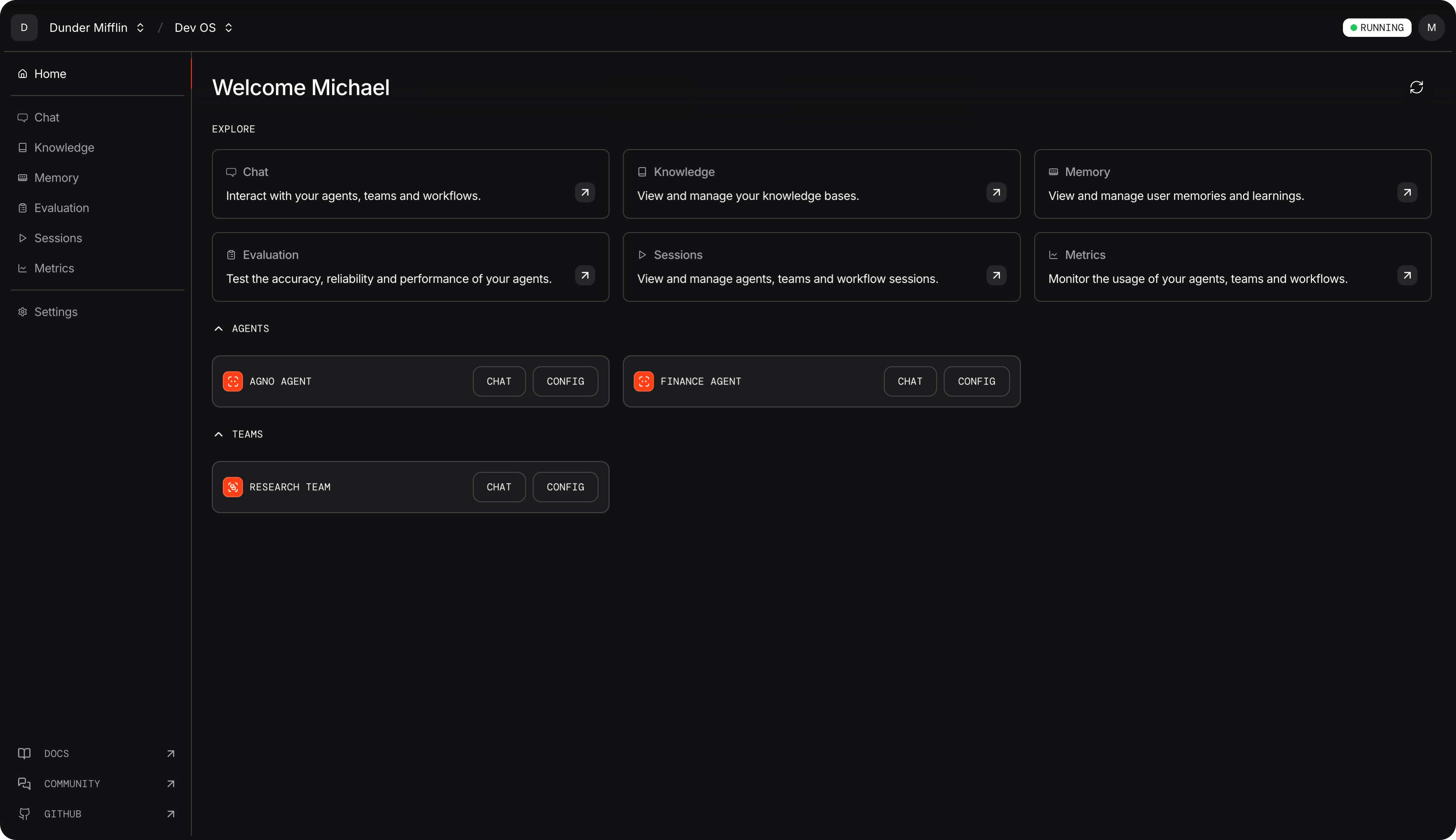
The AgentOS Control Plane is your primary web interface for accessing and managing all AgentOS features. This intuitive dashboard serves as the central hub where you interact with your agents, manage knowledge bases, track sessions, monitor performance, and control user access.
## OS Management
Connect and inspect your OS runtimes from a single interface. Switch between local development and live production instances, monitor connection health, and configure endpoints for your different environments.
## User Management
Manage your organization members and their access to AgentOS features. Configure your organization name, invite team members, and control permissions from a centralized interface.
### Inviting Members
Add new team members to your organization by entering their email addresses. You can invite multiple users at once by separating emails with commas or pressing Enter/Tab between addresses.
### Member Roles
Control what each member can access:
* **Owner**: Full administrative access including billing and member management
* **Member**: Access to AgentOS features and collaboration capabilities
## General Settings
Configure your account preferences and organization settings. Access your profile information, manage billing and subscription details, and adjust organization-wide preferences from a centralized settings interface.
## Feature Access
The control plane provides direct access to all main AgentOS capabilities through an intuitive interface:
**Getting Started Tip**: The control plane is your gateway to all AgentOS
features. Start by connecting your OS instance, then explore each feature
section to familiarize yourself with the interface.
Start conversations with your agents and access multi-agent interactions
Upload and organize documents with search and browsing capabilities
Browse stored memories and search through conversation history
Track and analyze agent interactions and performance
Test and evaluate agent performance with comprehensive metrics
Monitor system performance and usage analytics
## Next Steps
Ready to get started with the AgentOS control plane? Here's what you need to do:
Set up a new AgentOS instance from scratch using our templates
Learn how to connect your local development environment to the platform
 ## OS Management
Connect and inspect your OS runtimes from a single interface. Switch between local development and live production instances, monitor connection health, and configure endpoints for your different environments.
## User Management
Manage your organization members and their access to AgentOS features. Configure your organization name, invite team members, and control permissions from a centralized interface.
### Inviting Members
Add new team members to your organization by entering their email addresses. You can invite multiple users at once by separating emails with commas or pressing Enter/Tab between addresses.
### Member Roles
Control what each member can access:
* **Owner**: Full administrative access including billing and member management
* **Member**: Access to AgentOS features and collaboration capabilities
## General Settings
Configure your account preferences and organization settings. Access your profile information, manage billing and subscription details, and adjust organization-wide preferences from a centralized settings interface.
## Feature Access
The control plane provides direct access to all main AgentOS capabilities through an intuitive interface:
## OS Management
Connect and inspect your OS runtimes from a single interface. Switch between local development and live production instances, monitor connection health, and configure endpoints for your different environments.
## User Management
Manage your organization members and their access to AgentOS features. Configure your organization name, invite team members, and control permissions from a centralized interface.
### Inviting Members
Add new team members to your organization by entering their email addresses. You can invite multiple users at once by separating emails with commas or pressing Enter/Tab between addresses.
### Member Roles
Control what each member can access:
* **Owner**: Full administrative access including billing and member management
* **Member**: Access to AgentOS features and collaboration capabilities
## General Settings
Configure your account preferences and organization settings. Access your profile information, manage billing and subscription details, and adjust organization-wide preferences from a centralized settings interface.
## Feature Access
The control plane provides direct access to all main AgentOS capabilities through an intuitive interface: